
Write something
Pinned

Jan '24 •
👉🏼Start Here — Directions for new members
Welcome to businessXP! GROUP INSTRUCTIONS ✅ Be helpful and kind. ✅ Invite your friends to join us. ✅ Share ideas and resources related to learning about BUSINESS & MONEY & GAME DESIGN. ❌ No sales pitches — Zero tolerance. ❌ No profanity. No politics. No drama. CLASSROOM TAB 💡Access free guides and resources under the Classroom tab. Unlock more as you engage with the community. 💡If you're here to learn about business, start with the free 1-HOUR ENTREPRENEUR Video Training. DISCUSSION CATEGORIES 🔵 Business & Money — Post your business and personal finance questions, ideas, and resources. Do you have questions about startups or inventing or scaling a business? Post them in this category. 🔵 Game Design — Post your game design questions, ideas, and resources. 🔵 businessXP & GoVenture Games — Post your gameplay questions, suggestions, and bug reports. 🔵 Classroom Comments — These posts are for members who review the resources under the CLASSROOM tab. YOUR REWARDS - Access free resources right now under the Classroom tab. - Earn points to unlock more rewards under the Classroom tab. - Points are earned by liking posts, comments, and replies. 1 like = 1 point for the author. Click the LEADERBOARD tab to see how you rank. EMAIL NOTIFICATIONS - You will receive email notifications when people engage with your posts or comments. - To change the email settings, click your personal graphic in the top right corner then Settings > Notifications. PHONE APP Use these links or search the app store for Skool.com - iPhone - Android ABOUT US AND THIS GROUP Click the ABOUT tab for details.

Aug '25 •
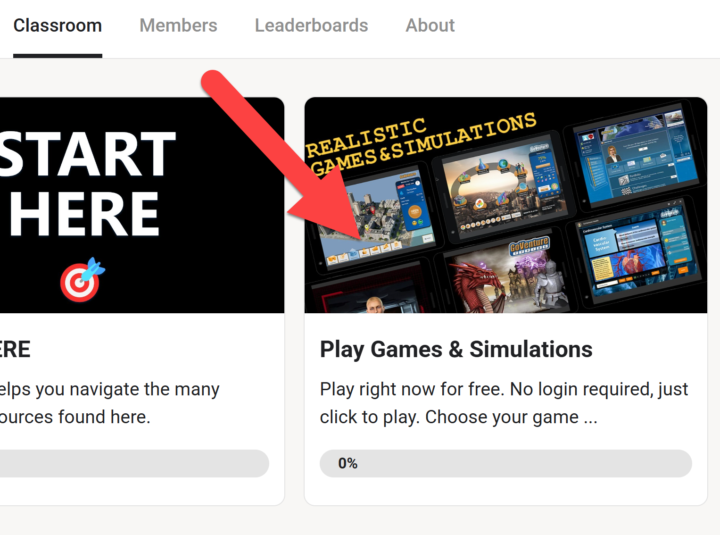
Play These Educational Games for Free
We have reorganized the CLASSROOM tab in our businessXP community to make it easier to discover the amazing content that is available to all members. Free versions of several educational games and simulations are available for you to play right now — no login needed, just click to play. Click the CLASSROOM tab then click module PLAY GAMES & SIMULATIONS - Lemonade Stand Simulation Game - Entrepreneur & Small Business Simulation - WORD6 — Like Wordle but different - GoVenture World Global Business Game - Health & Wellness Gamified Ebook - Typing Game - Job Interview Simulation
11d •
Business is easy to understand — but hard to do well.
This may be one reason why so many people invest time and money to prepare to start a business, yet never actually launch one. They lack the confidence to move forward. Because when they stop learning and start doing, they run head-first into uncertainty about what to do next. One uncertainty after another becomes overwhelming. Analysis paralysis. Or the opposite — they move forward aggressively and break things along the way. Why does this happen? Because they lack business experience. But gaining this experience first in the real world requires significant time and money. The solution: play a realistic business simulation. Stop watching. Start practicing. Practice builds confidence. Confidence builds skills. Skills move you forward. PS: As a member of our businessXP community, you can click the CLASSROOM tab to access a wealth of free resources to get you started.

15d •
Another Insight That I Learned in GoVenture Kiosk Business Simulation
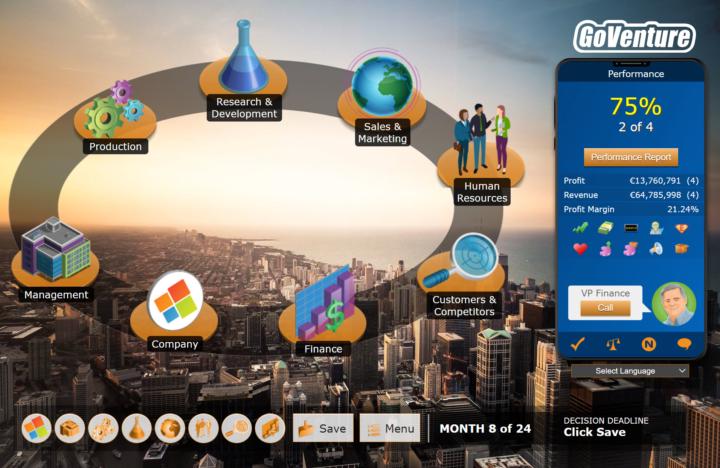
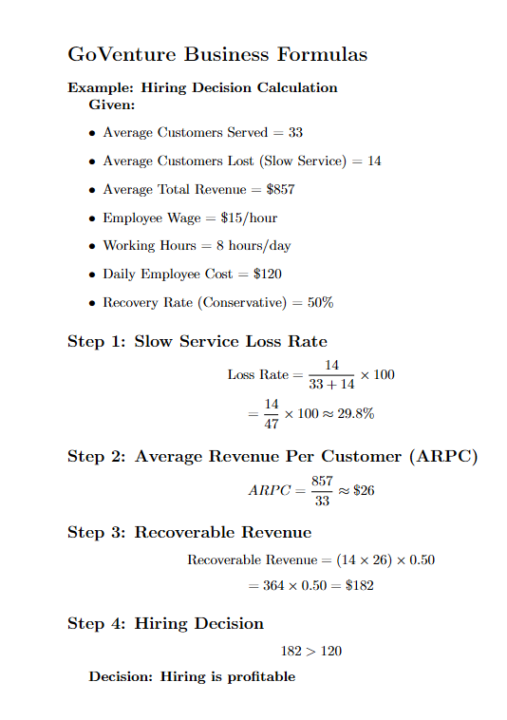
Hello everyone! I learned another valuable concept while playing the GoVenture Kiosk Business Simulation. From Slow Service Loss Rate -> Hiring Decision While going through the “1-Hour Entrepreneur Video Training” here in Skool, I remembered Sir Mathew demonstrating a situation where his kiosk business lost many customers due to slow service after marketing. He said something about considering how will we entrepreneurs know when to decide hiring an employee, so a question came up to my mind: "Does the extra revenue I gain from hiring someone exceeds the cost of paying them?" So, with the help of AI and what I’ve been learning in the simulation, I put together a simple, step-by-step way to think about this. 1. Slow Service Loss Rate First, we determine how many customers are leaving specifically because of slow service. Formula: Slow Service Loss Rate (%)= (Avg. Customers Lost due to Slow Service / (Customers Served + Customers Lost due to Slow Service)) × 100 For myself, I set a 10% threshold: - Below 10% -> normal loss, no immediate action needed - Above 10% -> investigate and consider intervention I think customer loss is unavoidable in business, but the key is knowing at what point it becomes a real problem. 2. Average Revenue Per Customer (ARPC) If the loss rate is above the threshold, the next step is to understand how much each customer is worth Formula: ARPC= Average Total Revenue / Average Customers Served This tells me how much revenue I earn per customer on average. 3. Recovery Rate This represents the percentage of lost customers I can realistically recover after hiring since not every lost customer will come back even if services improves. I decided to focus on two methods only: Method 1: Simulation-Based Recovery (After Hiring) Used after hiring, based on actual results. Formula: Recovery Rate= (New Customers Served − Old Customers Served) / Customers Lost This is the most accurate because it uses real outcomes. It answers:
15d •
Kiosk Business Simulation - Key Insight I Learned
Hello everyone, I just want to share my insight that I just learned when I was playing GoVenture Kiosk Business Simulation. As I continue playing the GoVenture Business Simulation, one of the most valuable concept I’ve learned is Customer Loss Rate. A question I kept asking myself was: At what point should I actually intervene when I start losing customers? In any real business, some customer loss is normal and unavoidable. But the real challenge isn’t eliminating loss completely, it’s knowing when the loss becomes a problem worth acting on. Now this is easy to overlook when your business is small and serving only a few customers. But once you’re serving hundreds or even thousands, percentages matter far more than raw numbers. About my Intervention Threshold For my own decision-making, I set a rule: - Below 10% customer loss -> normal operational friction - 10% or higher -> intervention required Why 10% as my intervention threshold? Losing 10% of potential customers also means losing roughly 10% of possible profit, which becomes significant at big businesses with big numbers. Below that threshold, I feel like intervening too often can lead to over-optimization and unnecessary changes. So once customer loss exceeds 10%, that’s when I investigate the cause: - Is it slow service? - Pricing? - Product quality? - Capacity limitations? How I Calculate Customer Loss Rate With the help of AI, I found a simple and clear formula: Customer Loss Rate (%) =(Customer Lost ÷ (Customer Served + Customer Lost)) × 100 This shows the percentage of total demand that went unmet. For example: Let’s say in one day of operating the kiosk: - Customers Served: 29 - Customers Lost: 13 Total customer demand =29 (served) + 13 (lost) = 42 Now apply the formula: Customer Loss Rate (%) =(Customer Lost ÷ (Customer Served + Customer Lost)) × 100 = (13 ÷ 42) × 100= 30.95% So about nearly 1 out of every 3 potential customers walked away. Why I feel like this formula matters to me
1-30 of 103

skool.com/bxp
Quickly gain the skills of an entrepreneur and confidence of a business leader — by playing realistic simulations and games (or design your own).
Leaderboard (30-day)
1
+7
2

+2
3

+2
4

+2
5

+1
Powered by